Budget golf simulators have improved fast. A few years ago, cheap meant toy-grade. In 2026, the best budget golf simulator setups can give you genuinely useful practice for the cost of a decent driver, as long as you buy with clear eyes.
That last part matters. Some low-cost systems track the ball and give you real practice data. Others are better for party nights than serious swing work. A couple land in the middle and make a lot of sense for the golfer who wants winter reps without turning the garage into a five-figure project.
After skimming the current search results, the strongest pattern is clear: readers want the best budget golf simulators under $1,000, not vague “affordable” picks that quietly jump to $3,000 halfway down the page. So this list sticks to that lane and focuses on five options that cover the real budget tiers.
Disclosure: This article contains affiliate links. If you buy through them, we may earn a commission at no extra cost to you.
Quick picks: the best budget golf simulators under $1,000
| Product | Best fit | What you’re really buying | Typical budget lane | Link |
|---|---|---|---|---|
| Garmin Approach R10 | Best overall value | Portable launch monitor with broad software support | About $600 plus net/mat | Check Price |
| Rapsodo MLM2PRO | Best for data-hungry practice | Radar plus camera-based tracking with stronger spin feedback | About $700 plus membership | See Current Price |
| Swing Caddie SC4 PRO | Best no-subscription pick | Portable monitor with built-in display and simulator features | About $600 to $700 | See Reviews |
| OptiShot 2 | Best cheap all-in-one fun | Infrared swing pad for casual indoor play | Roughly $300 to $500 | View Deal |
| Phigolf | Best for tiny spaces | Motion-sensor simulator that works without a full hitting bay | Usually under $300 | Check Price |
What counts as a budget golf simulator in 2026?
For this category, “budget” means a setup that gets you into simulator golf for less than $1,000 before you go wild on screens, enclosures, and projectors. In practice, that usually means one of two things: a launch monitor you pair with a net and mat, or a simpler swing-based system that trades accuracy for lower cost and easier setup.
The sweet spot for most golfers is still a launch monitor first. Add a hitting mat, a net, and a tablet, and you have something you can actually practice with. Later, you can upgrade the visual side. That helps explain why the Garmin, Rapsodo, and Swing Caddie options sit at the top of this list. They leave room to grow.
Need help on the display side later on? Our guide to the best projector for golf simulator is the next piece to sort out after you choose the tracking unit.
The 5 best budget golf simulators under $1,000
Best overall value
1. Garmin Approach R10
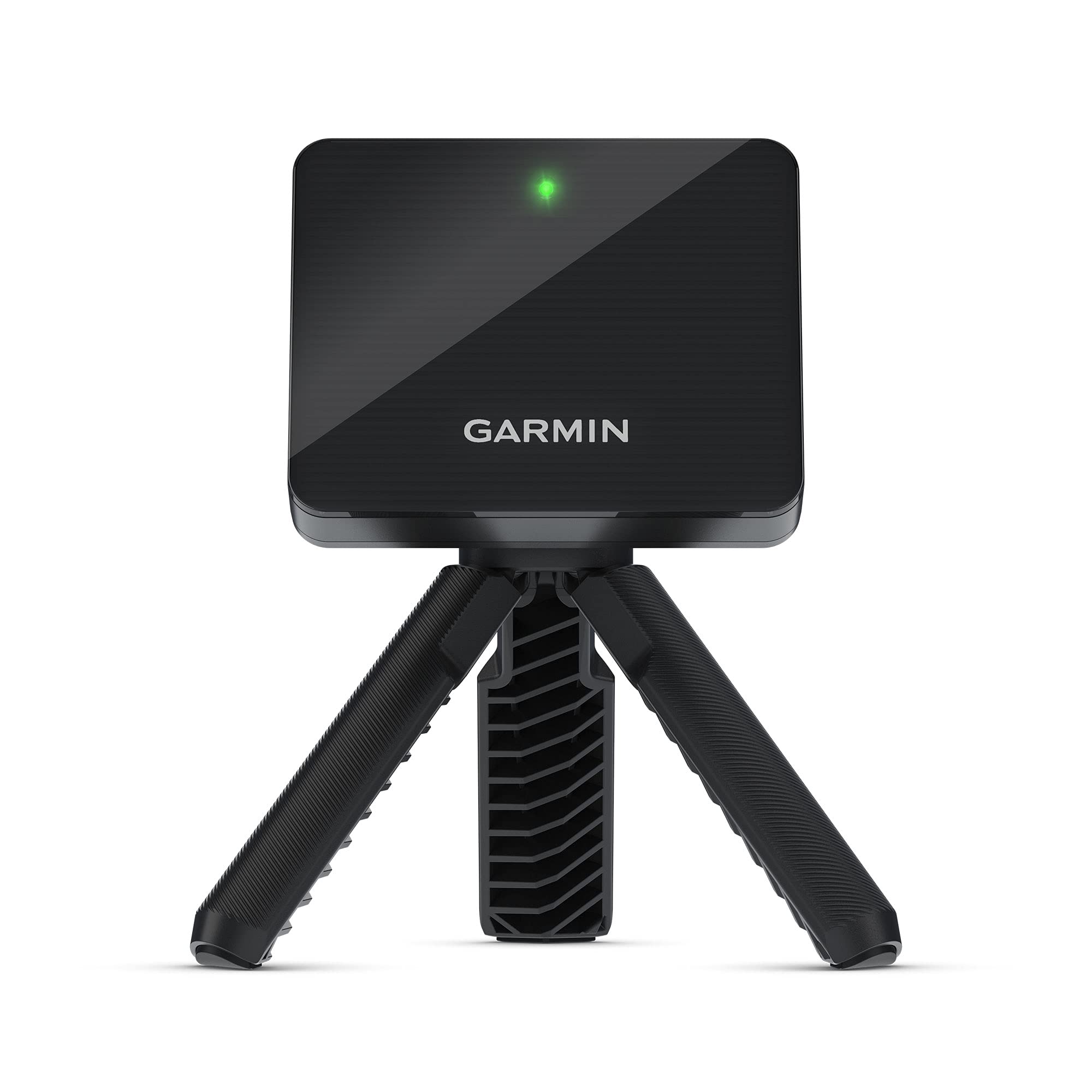
The Garmin R10 is still the easiest pick for most people because it nails the balance that cheaper simulator gear usually misses. It’s portable, widely supported, easy to resell, and good enough to build a whole practice setup around.
What I like most is that it behaves like a real entry point into the hobby, not a dead-end gadget. You can start with a net and a mat, use the Garmin app, then branch into better simulator software later. That keeps the first purchase from feeling disposable.
The radar unit sits behind the ball, so room depth matters. A cramped spare bedroom can make placement annoying, and radar-based units still tend to be less convincing indoors than strong camera systems. Even with that caveat, the R10 remains the best budget buy because the total package makes sense: useful ball data, solid battery life, broad software compatibility, and a price that doesn’t wreck the rest of your setup budget.
- Ideal buyer: golfers who want the strongest all-around value
- Room note: it needs space behind the hitting area
- Main reason it’s here: the most complete sub-$1,000 starting point
Check PriceOpens Amazon. Affiliate link.
Best for data-hungry practice
2. Rapsodo MLM2PRO
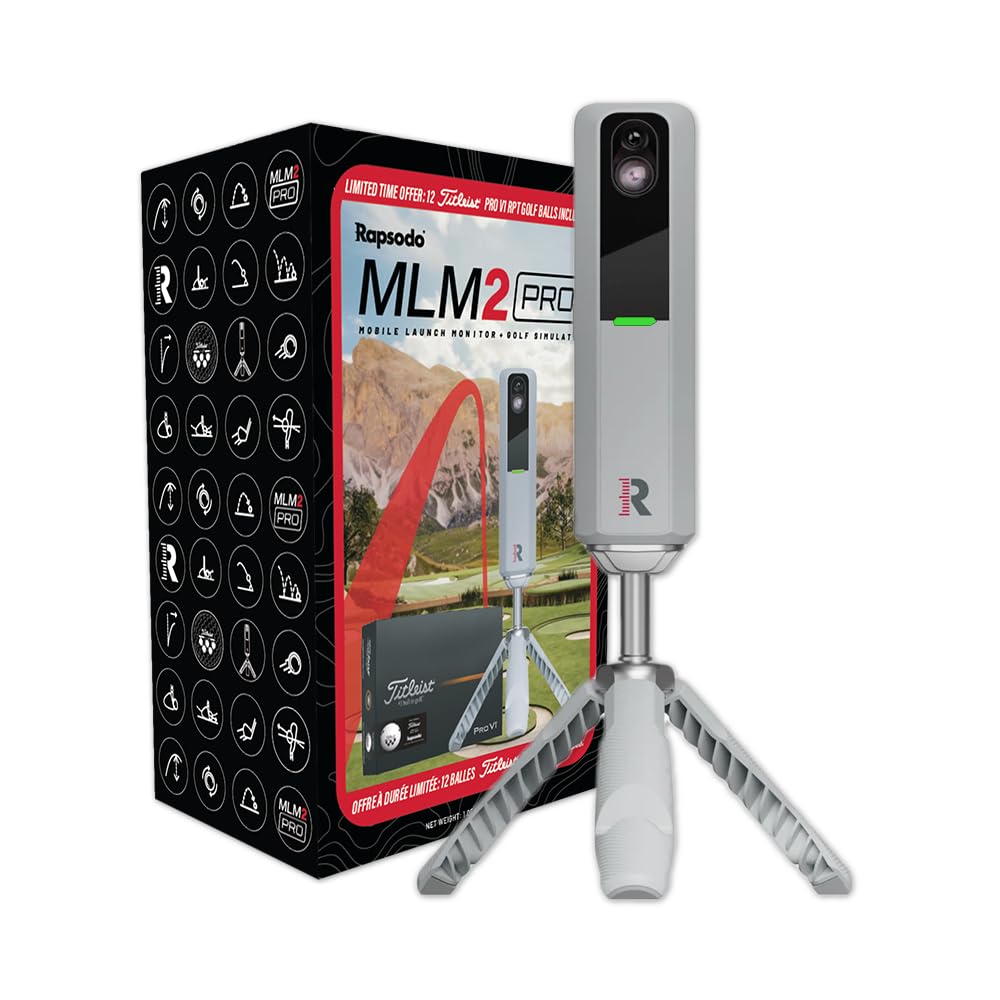
Rapsodo’s MLM2PRO is the pick I’d lean toward for the golfer who cares less about casual rounds and more about seeing richer feedback on each swing. Spin numbers, shot replay features, and a generally more training-focused feel give it more teeth than the average “budget” option.
That edge comes with extra friction. The subscription layer is part of the story here, and that changes the value equation. A launch monitor that looks budget-friendly at checkout can feel less cheap once you add annual software costs. Still, the on-paper capability is strong enough that many golfers will happily pay for it.
Compared with the Garmin R10, the MLM2PRO feels like the more analytical choice. Compared with pricier photometric systems, it’s still a compromise. That middle ground is exactly why it belongs on this list. You get more serious practice value without crossing into premium territory.
- Great match: players who want more detailed feedback and can live with a membership
- One caution: ongoing costs narrow the “budget” advantage
- Main reason it’s here: stronger data feel than most sub-$1,000 rivals
See Current PriceOpens Amazon. Affiliate link.
Best no-subscription pick
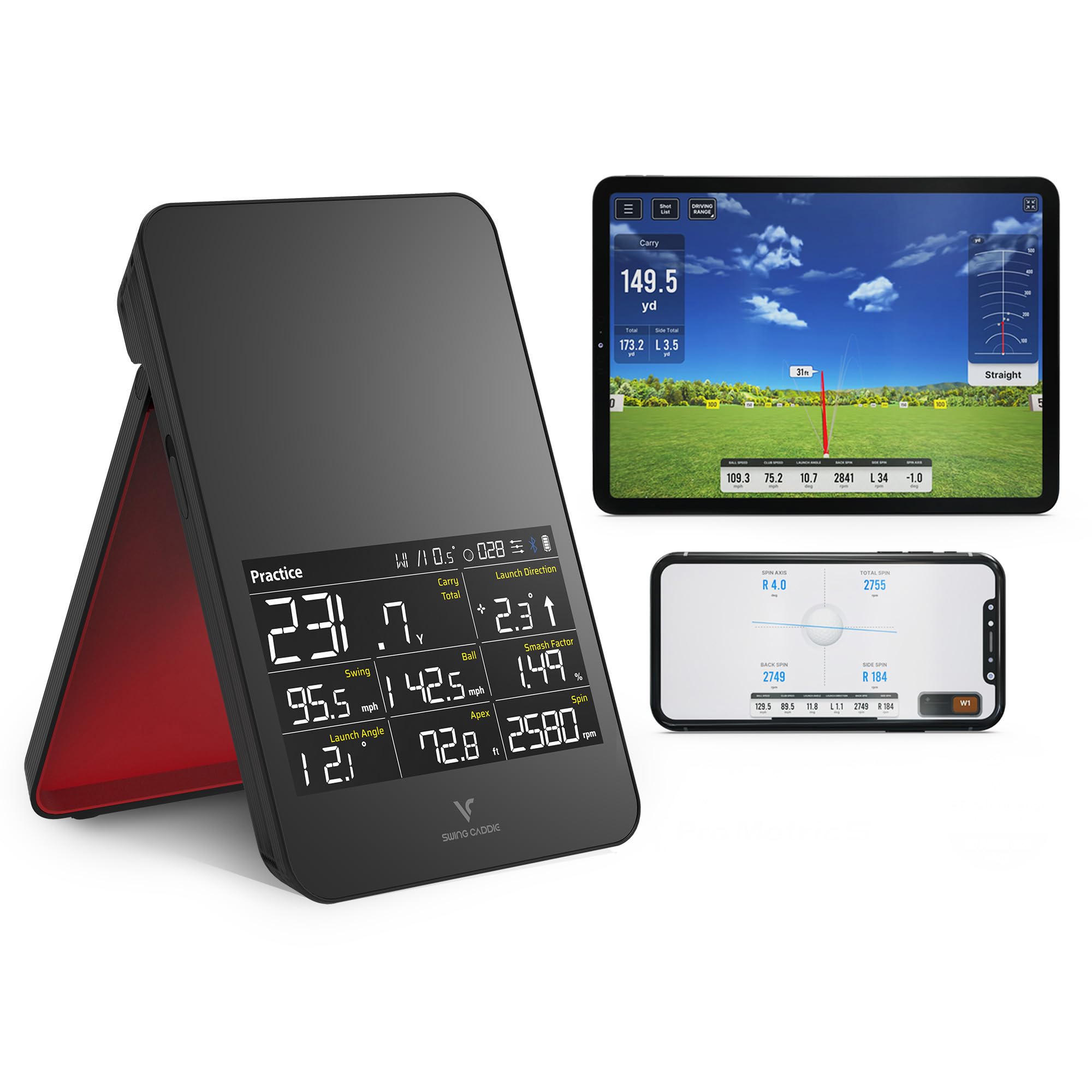
3. Swing Caddie SC4 PRO
The SC4 PRO is the sensible choice for buyers who hate paying subscriptions on principle. That alone gives it a real audience, because simulator golf has a bad habit of turning one purchase into five more.
A built-in screen and voice output also make the unit refreshingly straightforward. You don’t always need to fuss with a second display just to get through a practice session. For range use, that convenience matters more than spec-sheet bragging rights.
Performance-wise, the SC4 PRO lands in the same broad class as the other portable launch monitors here: useful, practical, and not miracle-working. The win is simplicity. Fewer fees, cleaner setup, and enough feedback to make a session productive. Plenty of golfers will prefer that over chasing every last metric.
- Smart pick for: buyers who want clean ownership with no monthly drag
- Worth knowing: it has less ecosystem momentum than Garmin
- Main reason it’s here: one of the easiest budget monitors to live with
See ReviewsOpens Amazon. Affiliate link.
Best cheap all-in-one fun
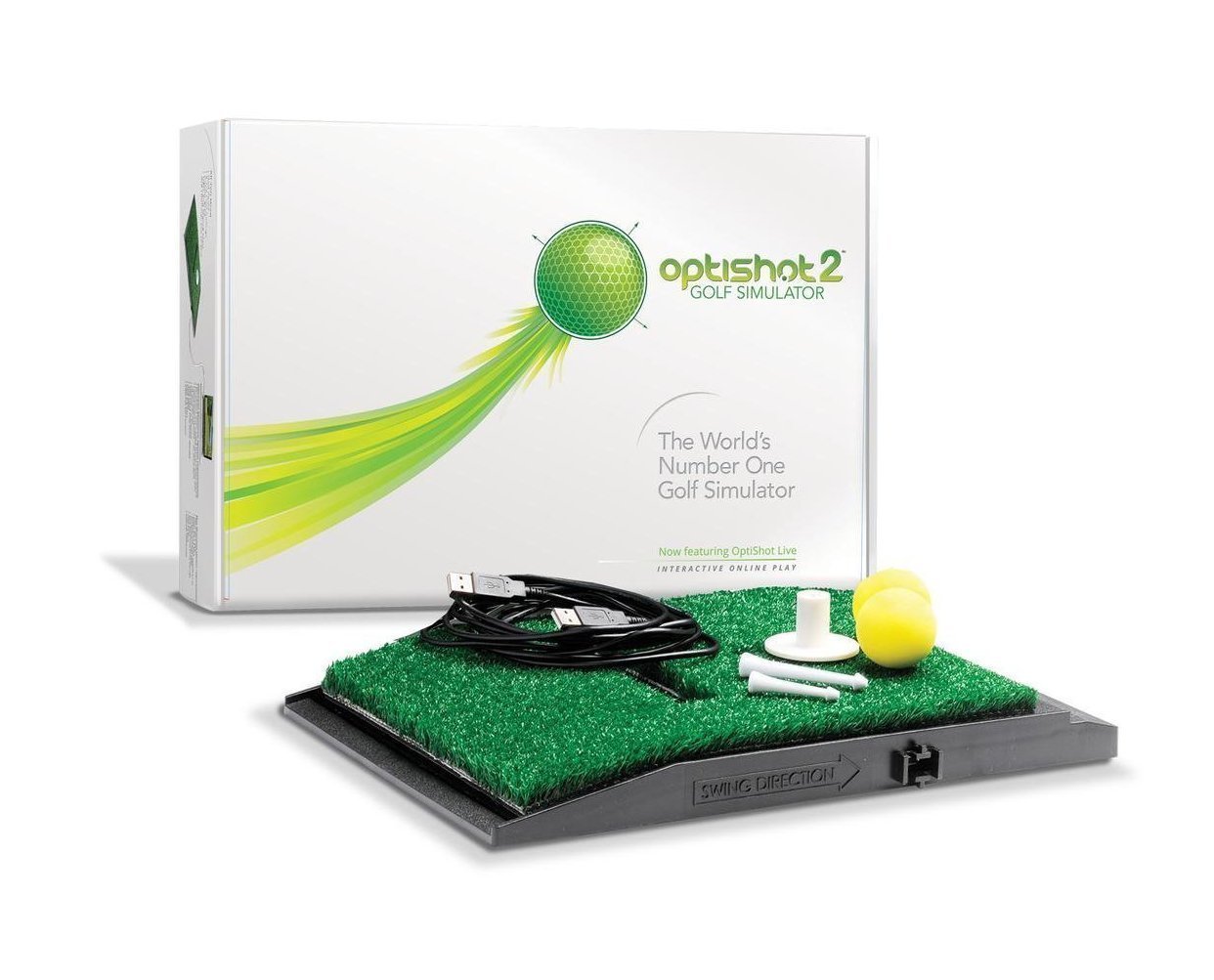
4. OptiShot 2
OptiShot 2 is the honest fun pick. I would not buy it as my main swing-improvement tool, but I absolutely understand why it keeps showing up in budget golf simulator searches. It’s cheap, approachable, and much less intimidating than building a launch-monitor-based bay from scratch.
The trade is accuracy. OptiShot reads club movement through infrared sensors instead of tracking full ball flight the way the better launch monitor options do. That means virtual golf nights, beginner-friendly entertainment, and low-stakes practice are the right expectations here.
Viewed through that lens, it makes sense. Families, casual golfers, and anyone who wants something they can set up indoors without getting obsessive about data may have more fun with this than with a “better” product that asks more of the room, the budget, and the user.
- Works best for: casual play and entertainment-first use
- Big limitation: limited realism for serious practice
- Main reason it’s here: one of the cheapest true simulator-style entries
View DealOpens Amazon. Affiliate link.
Best for tiny spaces
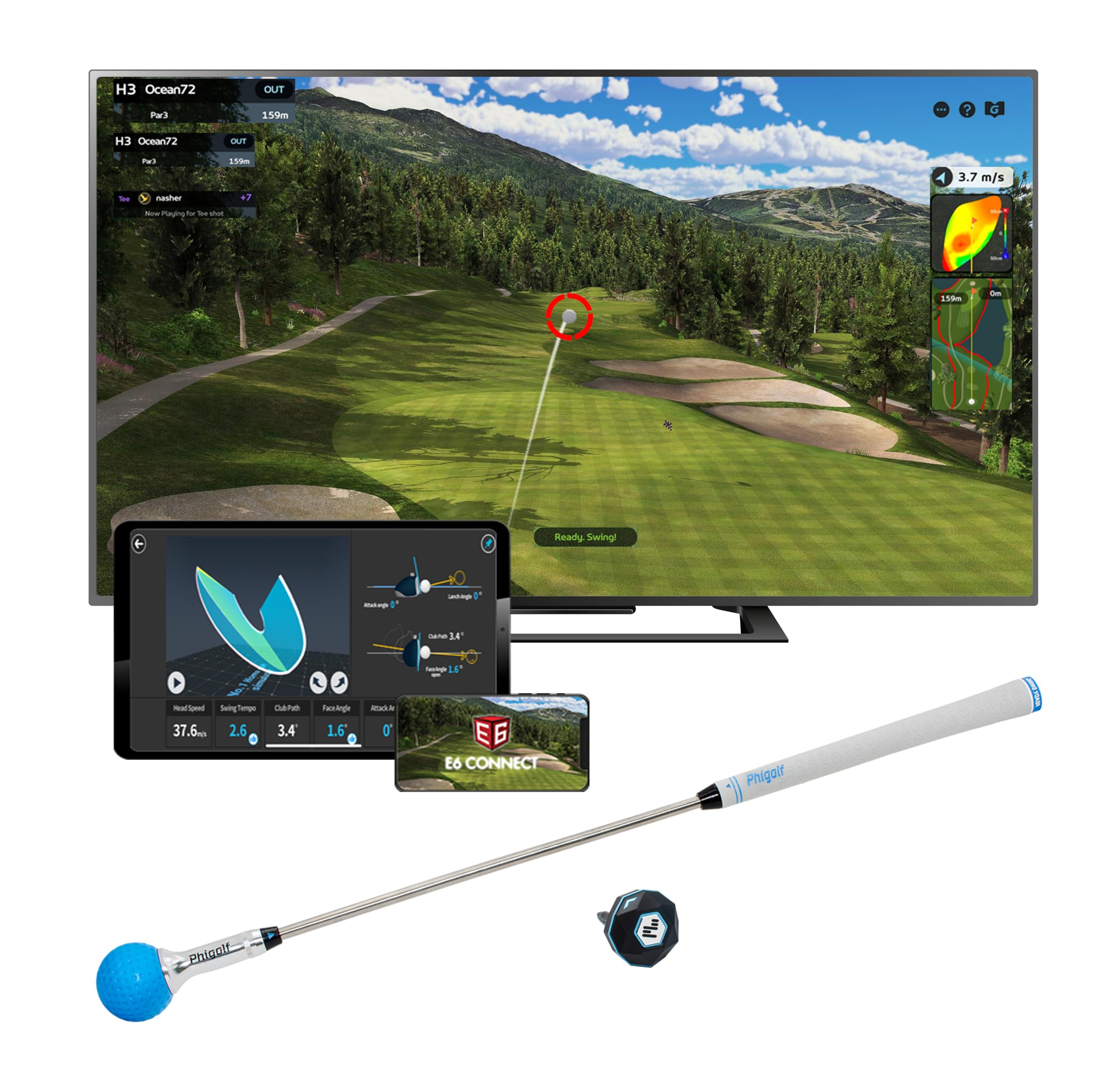
5. Phigolf
Phigolf is the oddball on this list, and that’s a compliment. It solves a problem that the others don’t: not everyone has room to hit real balls indoors, and not everyone wants to.
Instead of trying to mimic a full sim bay, Phigolf leans into motion-sensor play, compact storage, and low-friction setup. That makes it a very good fit for apartments, travel, family rooms, or anyone who wants a golf fix without committing to a permanent practice area.
Serious players will outgrow it. No problem there. Not every purchase needs to be a forever purchase. For light practice, quick sessions, and multiplayer fun in a tiny footprint, it’s easy to recommend at the low end of the market.
- Best use case: tiny spaces and casual use
- Keep in mind: it feels less realistic than ball-tracking options
- Main reason it’s here: the smallest, cheapest, least demanding path into simulator golf
Check PriceOpens Amazon. Affiliate link.
How these budget golf simulators compare
The cleanest way to separate these picks is by asking what kind of golfer you are on a random Tuesday night.
Garmin R10 is the best fit for most buyers because it does a little of everything well enough. Rapsodo MLM2PRO pushes harder toward training data and rewards golfers who actually use that detail. SC4 PRO strips away some of the subscription fatigue and makes ownership simpler. OptiShot 2 is more about fun than precision. Phigolf is the compact, low-commitment option that works where a true hitting bay would be unrealistic.
Another dividing line is room setup. Radar-based units want more space behind the ball. Swing-based simulators can squeeze into places where that just won’t happen. That sounds obvious, but it’s one of the biggest reasons people buy the wrong system. A technically better device is still the wrong device when the room fights it every session.
Common mistakes shoppers make
- Buying the monitor before measuring the room. Ceiling height and depth ruin more simulator dreams than price does.
- Confusing fun with accuracy. Both matter, but they are not the same purchase.
- Forgetting the full setup cost. Net, mat, tablet stand, lighting, and software can add up fast.
- Chasing premium performance on a budget. A sub-$1,000 sim can be very good. It will not behave like a five-figure studio.
- Ignoring subscription math. Annual fees can change the long-term value more than the sticker price does.
Which budget golf simulator should you buy?
Most golfers should buy the Garmin Approach R10. It offers the best mix of price, portability, software flexibility, and upgrade potential. That answer isn’t flashy, but it’s the one that will make sense for the widest range of buyers six months from now.
The Rapsodo MLM2PRO is the better fit for the golfer who wants more data and doesn’t mind paying for the ecosystem. SC4 PRO makes the strongest case for buyers who are tired of subscriptions. OptiShot 2 stays relevant because not everybody wants serious practice every time they swing a club indoors. Phigolf is the right call for small-space convenience, especially where real-ball use is a non-starter.
A smart budget setup does not need to be fancy. It needs to be easy enough to use often. That’s the version that actually lowers scores.
FAQ
What is the best budget golf simulator right now?
The Garmin Approach R10 is the best budget golf simulator for most people because it gives you real launch-monitor functionality at a manageable price, with enough software support to grow into a better setup over time.
Can you build a good golf simulator for under $1,000?
Yes, but the best results usually come from a modest setup built around a launch monitor, hitting mat, and net rather than a full enclosure with projector and impact screen. Under $1,000 is enough for useful practice. A luxury sim room sits well beyond that budget.
Is the Garmin R10 better than the Rapsodo MLM2PRO?
For overall value, I’d give the edge to the Garmin R10. For golfers who care more about detailed feedback and are comfortable with a subscription, the MLM2PRO has a strong case. The better choice depends on whether you value simplicity or richer data.
Do budget golf simulators actually help your game?
They can, especially the launch-monitor-based options. Consistent reps, basic ball-flight feedback, and a setup you’ll actually use are more valuable than a premium simulator that rarely gets turned on.
How much space do you need for a home golf simulator?
That depends on the unit, your club length, and whether you are hitting real balls into a net or screen. In general, budget launch monitors need more usable depth than swing-stick systems like Phigolf. Always measure ceiling height, hitting depth, and side clearance before buying.
Are cheap all-in-one golf simulators worth it?
They can be worth it for entertainment, beginner use, or family play. Buyers looking for serious practice and more reliable shot feedback should usually start with a launch monitor instead.